Games to Play on FaceTime: 34 Games for Video Calls, Zoom and Long Distance
By The Rondovo team · Published · Updated · 13 min read
The easiest games to play on FaceTime need nothing but the call: Twenty Questions, Would You Rather, Categories, Two Truths and a Lie and charades all work the moment everyone can see and hear each other. For proper games with scores, open an online game that everyone joins on their own device while the call carries the voices, or use SharePlay to play a supported Game Center game together. Below are 34 games sorted by what you need, plus a plain explanation of how screen sharing and SharePlay actually work.
Everything here also works on Zoom, Google Meet, Discord or WhatsApp video. The FaceTime specific parts are marked.
In short
- No setup: talking and guessing games (games 1 to 14) need only the call.
- Pen and paper: drawing, bingo style and pencil games (15 to 20) need everyone to grab paper.
- Online games: for scores, timers and secrets, everyone opens the same game on their own device (21 to 34).
- Second screen beats screen sharing. Keep the call on one device and the game on another. Shared screens over FaceTime are small, lag a little and cover your friends' faces.
- Know your limits. Group FaceTime takes up to 32 people. Free Zoom meetings end at 40 minutes, and free Google Meet group calls at 60 minutes (as of October 2026).
How to play games on FaceTime: three setups
There are three ways to play a game over a video call. Picking the right one matters more than picking the game.
1. Talk only
Everyone stays on the call and plays out loud. No app, no links. It suits 2 to 6 people, and anyone who is not a confident tech user, such as grandparents. The weak spot is scorekeeping and secrets: anything hidden has to go by text message.
2. Screen sharing and SharePlay (FaceTime)
On an iPhone or iPad with iOS 15.1 or later, FaceTime can share your screen with everyone on the call. During a call, tap the screen to show the controls, tap the share button and choose Share My Screen. A three second countdown runs, then everyone sees your screen. Apple's guide is Share your screen in a FaceTime call.
SharePlay is different. It lets everyone on the call use the same supported app at the same time on their own device. For games, that means multiplayer games in Game Center that support SharePlay: during the call you open a supported game and start SharePlay from it, then follow the prompts. Each player needs the game on their own device. Apple explains it in Use SharePlay in FaceTime.
A few things catch people out:
- Friends on Android or Windows can join a FaceTime call through a link in Chrome or Edge, but Apple says SharePlay and screen sharing are not available to them in FaceTime on the web.
- Only SharePlay enabled games work with SharePlay. There is no list from Apple; check the game's App Store page for SharePlay or FaceTime multiplayer.
- A shared screen is one person's view. Everyone else can watch, but cannot tap. That is fine for a quiz you host, and useless for a game where everyone needs their own controls.
3. The second screen approach (works on any call)
This is the setup we recommend. The call stays on one device, and everyone opens the same online game on their own device, or on a second one they have nearby. One person creates a room, sends the link or code in the group chat, and everyone joins.
Why it works better:
- Every player has their own controls and their own secrets (roles, cards, hidden words).
- Nobody's face disappears behind a shared screen.
- It works across iPhone, Android, laptops and tablets, on any call app.
If someone only has one device, they can still play: most browser games run fine alongside a call, you just switch between them. Rondovo has a "Just this screen" mode that puts the board and your controls together on your own screen, so no shared TV or screen share is needed. Each player still joins on their own device, and with no TV in the room the game's narration comes to everyone's screen.
Talking games: no setup needed
1. Twenty Questions
One person thinks of something. Everyone else asks yes or no questions, twenty in total, to guess it. Good with 2 to 8 people. For video calls, let questions go round in screen order so people do not talk over each other.
2. Would You Rather
Ask a choice between two options and everyone answers at once on the count of three. Then the minority defends their pick. Our would you rather questions list has hundreds sorted by group.
3. Categories
Pick a category ("things in a fridge") and a letter. Go round the call; the first person who hesitates for five seconds or repeats an answer is out.
4. Two Truths and a Lie
Each person says three statements about themselves, one false. Everyone guesses the lie. It is the best getting to know you game on a call because it gives quiet people a turn. More ideas in our two truths and a lie guide.
5. Never Have I Ever (fingers up)
Everyone holds up five fingers to the camera. Someone says something they have never done; anyone who has done it puts a finger down. Keep it kind; our never have I ever questions are sorted by group and kept clean.
6. Most Likely To
Read a prompt ("most likely to forget their own birthday") and on three everyone points at a face on their screen. Pointing is chaos on a grid view, which is the fun. See most likely to questions.
7. Truth or Dare
Dares on a call have to be things you can do on camera: do an impression, show the last photo you took of food, speak in an accent until your next turn. Our truth or dare questions stay friendly.
8. Riddles and lateral thinking puzzles
One person describes a strange situation and the ending, and the others ask yes or no questions to work out how it happened. Make up your own: the stranger the ending, the better. Works especially well with 2 or 3 people.
9. Last Letter
Pick a theme such as countries or animals. Each answer has to start with the last letter of the previous one. "Egypt", "Tanzania", "Albania"...
10. Story One Word at a Time
Go round the call, each person adds one word to a story. It never makes sense, and nobody minds.
11. Guess the Sound
Players take turns making a sound off camera (a kettle, keys, a zip) and others guess. It is surprisingly hard over call audio, which helps.
12. Scavenger Hunt
Call out an item ("something older than you", "something blue and soft") and the first person to hold it up to the camera scores. Brilliant with kids, and it gets everyone moving.
13. Charades
The actor gets a word by private message and acts it out on camera; everyone else shouts. Ask people to step back so their whole body is in view. Our charades ideas list has words by difficulty.
14. Name That Tune (hum it)
One person hums a song and others guess the title. Hum only, no lyrics, and audio delay makes it harder than in person.
Pen and paper games
15. Pictionary on paper
The drawer gets a word by message, draws it on paper and holds it to the camera. Use a thick pen; thin lines vanish on video. Our Pictionary words list helps.
16. Battleships
Each player draws two 10 by 10 grids and hides their ships. Call shots ("B7") across the call. Good for two people on a long call.
17. Dots and boxes
One person draws the grid and holds it up, or both keep a copy and call out moves. It is slow on paper, fast online (see Dotty below).
18. Hangman
The classic. The host holds the gallows up to the camera after every guess.
19. Bingo
Everyone makes a card by hand and the host calls numbers. It is a lovely game for a family call across generations. Our bingo with friends online guide explains how to make cards and run a game.
20. Scattergories style lists
Pick a letter and five categories, start a two minute timer, and everyone writes one answer per category. Unique answers score; shared answers do not.
Online games to play on a video call
For these, everyone opens the game on their own device while the call carries the voices. Player counts are what each game allows.
21. skribbl.io
Free, private room by link. One person draws, everyone types guesses. Easy to join, no account needed. It is the default drawing game for calls for good reason. Our online drawing games guide compares it with the alternatives.
22. Gartic Phone
Free, room link. The drawing version of telephone. Everyone writes, draws and describes at the same time, and the final replay of every chain is the best part of the night.
23. Codenames Online
Free on the official site. Two teams, a spymaster each, one word clues. The talking happens on the call, so it suits video better than most games.
24. Mindline (Rondovo)
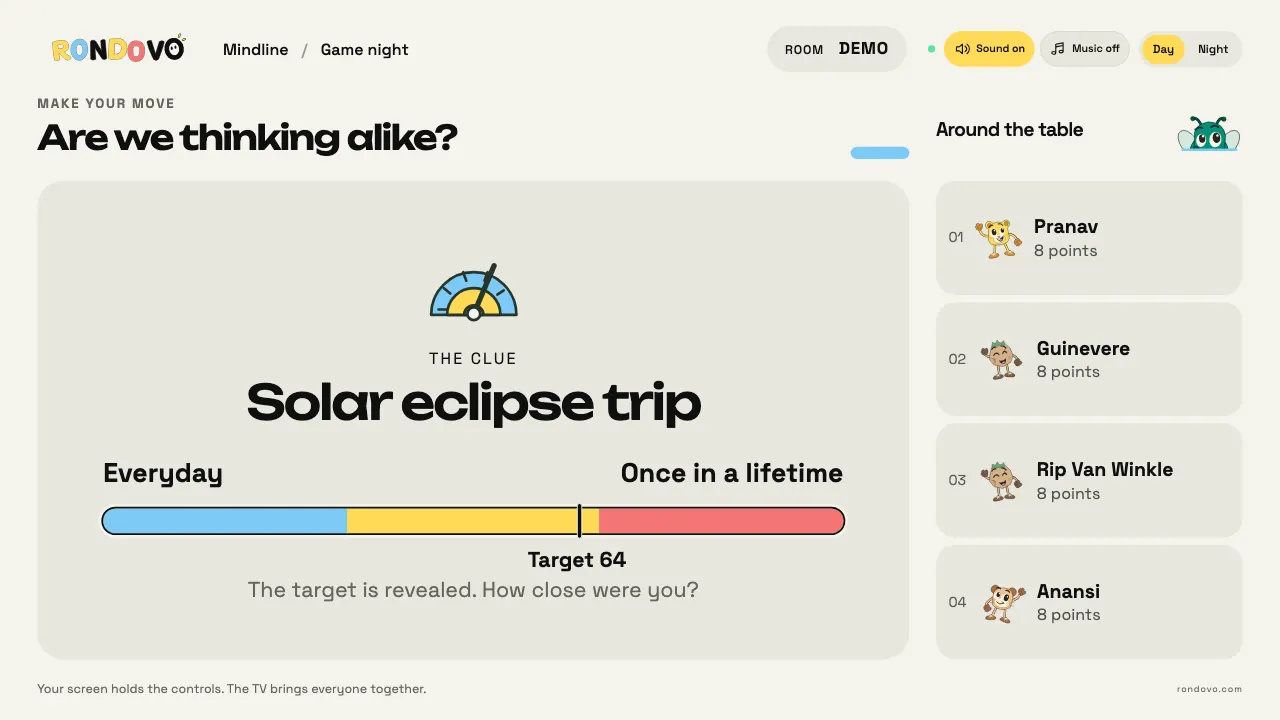
2 to 16 players, about 15 minutes. One player sees a secret spot on a line between two extremes and gives a clue; everyone else drags a slider on their own screen. Exact hits score 10. It is quiet enough for a call and sparks the best debates ("how is a hot dog only a 40?"). If you know the board game Wavelength, our Wavelength online guide explains how the two compare.
25. Five Letters (Rondovo)
2 to 16 players, about 10 minutes. Everyone solves the same five letter word with six guesses. The board shows colours only, so screen sharing it does not give answers away. A good warm up game while people are still arriving, and the group version of the daily puzzle covered in Wordle with friends.
26. Two Truths (Rondovo)
3 to 12 players, about 15 minutes. Write two truths and a lie on your own screen. When your turn comes, everyone picks the lie privately, so nobody copies the loudest guesser. You score for every player you fool.
27. Odd One Out (Rondovo)
4 to 12 players, about 15 minutes. Everyone gets the same secret word, except the odd ones out who get a related word. Type hints, argue on the call, then vote. It is the best "who is lying" game for video, because the arguing is the fun.
28. Nightfall (Rondovo)
4 to 16 players, about 20 minutes. Mafia with the night handled on screen, so nobody has to close their eyes on camera and nobody has to moderate. See how to play Mafia.
29. Scrawl and Spindoodle (Rondovo)
3 to 16 players. Draw and guess where the drawing appears live for everyone. Spindoodle spins the paper under your pen. On a call, each player sees the drawing on their own screen, so nobody squints at a shared screen.
30. Spy Grid (Rondovo)
4 to 16 players. Our own one word clue team game on a 5 by 5 grid. Teams can talk openly on the call; only the handler sees the colours.
31. Act It Out (Rondovo)
4 to 16 players. Charades where the other team picks the first word of your turn and only your screen shows it. On a call, the actor plays to their camera.
32. Most Likely To (Rondovo)
3 to 16 players. The prompt appears for everyone and votes stay hidden until the reveal. Easier than pointing at faces on a grid.
33. Board games: Isle of Tides, Night Express, Ludo
For a longer call, a full board game works well when everyone has their own view. Isle of Tides (2 to 6, about an hour), Night Express (2 to 5) and Ludo (2 to 4) all run with each player on their own screen. Board Game Arena is another free option with hundreds of published games, if everyone makes an account.
34. SharePlay games in Game Center
If your group is all on Apple devices, check the App Store for games that support SharePlay or FaceTime multiplayer, start one during the call and tap Start SharePlay. It is the smoothest option for a family that is all on Apple devices.
Games to play on FaceTime with long distance couples
Two people on a call need different games than a group. You want something to do together while you talk, not a game that takes all your attention.
- Bookends (2 players, about 5 minutes): one of you draws a first letter, the other a last letter, and you race to type a word that fits between them. Quick and very replayable.
- XOXO (2 players): noughts and crosses with an Ultimate mode of nine boards in one, which is a real strategy game.
- Drop Four (2 players, or two teams): four in a row, best of one, three or five rounds.
- Dotty (2 to 4): roll a die, draw that many lines, close boxes in your colour.
- Wordsmith (2 to 4, about 45 minutes): a crossword style tile game for a slow evening.
- Talking games: 36 questions style lists, Would You Rather, or watching something together over SharePlay between games.
Our games for couples guide has many more, online and off.
Games to play over FaceTime with family and kids
- Grandparents: Bingo, Twenty Questions and Categories. No app needed, or one link at most.
- Young kids: Scavenger Hunt, Guess the Sound, I Spy with things in each other's rooms, Simon Says, charades with animals.
- Teenagers: skribbl.io, Odd One Out, Most Likely To.
- Mixed ages: Mindline and drawing games, where knowledge and speed matter less than imagination.
Tips for a smooth video call game night
- Mute when you are not talking in groups of 6 or more. Call audio picks one speaker at a time.
- Send codes and links in the chat, never read them out. Letters like M and N are easy to mishear.
- Use gallery or grid view so everyone sees all faces.
- Plan around time limits. On free Zoom, put a 30 minute game first so the 40 minute cut does not end a game halfway.
- Pick a host who explains rules once and keeps things moving.
- Charge your devices. A video call plus a game drains a battery fast.
For a whole evening plan, see virtual game night ideas, and for in person ideas the party games guide.
Questions people ask
What games can you play on FaceTime?
Talking games such as Twenty Questions, Would You Rather and Two Truths and a Lie need nothing but the call. For games with scores, everyone opens the same online game on their own device, such as skribbl.io, Codenames Online or a Rondovo room. On Apple devices you can also use SharePlay with supported Game Center games.
Can you play games on FaceTime with SharePlay?
Yes, with multiplayer games that support SharePlay in Game Center. Each player needs the game on their device. Open the game during a FaceTime call and tap Start SharePlay. You can also share your screen to show any game, but only you control it.
Can Android users play games on FaceTime?
They can join a FaceTime call from a link in Chrome or Edge, but SharePlay and screen sharing are not available in FaceTime on the web. The fix is the second screen approach: everyone opens a browser game on their own device while the call carries the voices.
What are good games to play on Zoom with friends?
The same games work: talking games, charades, Pictionary on paper and browser games joined by link. Free Zoom meetings end after 40 minutes as of October 2026, so plan short games or be ready to start a new meeting.
What can long distance couples play on FaceTime?
Quick two player games you can play while talking: Bookends, XOXO, Drop Four, Battleships on paper, or question games like Would You Rather. For a longer evening, a two player board game such as Wordsmith or a game on Board Game Arena.
How many people can be on a FaceTime call?
Group FaceTime supports up to 32 people at once, according to Apple. In practice, games are easiest with 3 to 12, when everyone can still see each other in the grid.
Start a game on your next call
Next time you are on a call, send one code. Open Mindline or Five Letters, paste the four letter code into the chat, and everyone joins on their own screen in under a minute. No download, no account for guests, and the call stays exactly where it is.
FaceTime, SharePlay, Game Center, iPhone, iPad, App Store, Apple, Zoom, Google Meet, Discord, WhatsApp, Android, Windows, Chrome, Edge, skribbl.io, Gartic Phone, Codenames, Codenames Online, Board Game Arena, Pictionary, Scattergories, Battleship, Wavelength and Wordle are trademarks of their owners. Rondovo is not affiliated with them.