Games to Play on TV Without a Console: Every Way to Do It, and Which Party Games Work
By The Rondovo team · Published · Updated · 13 min read
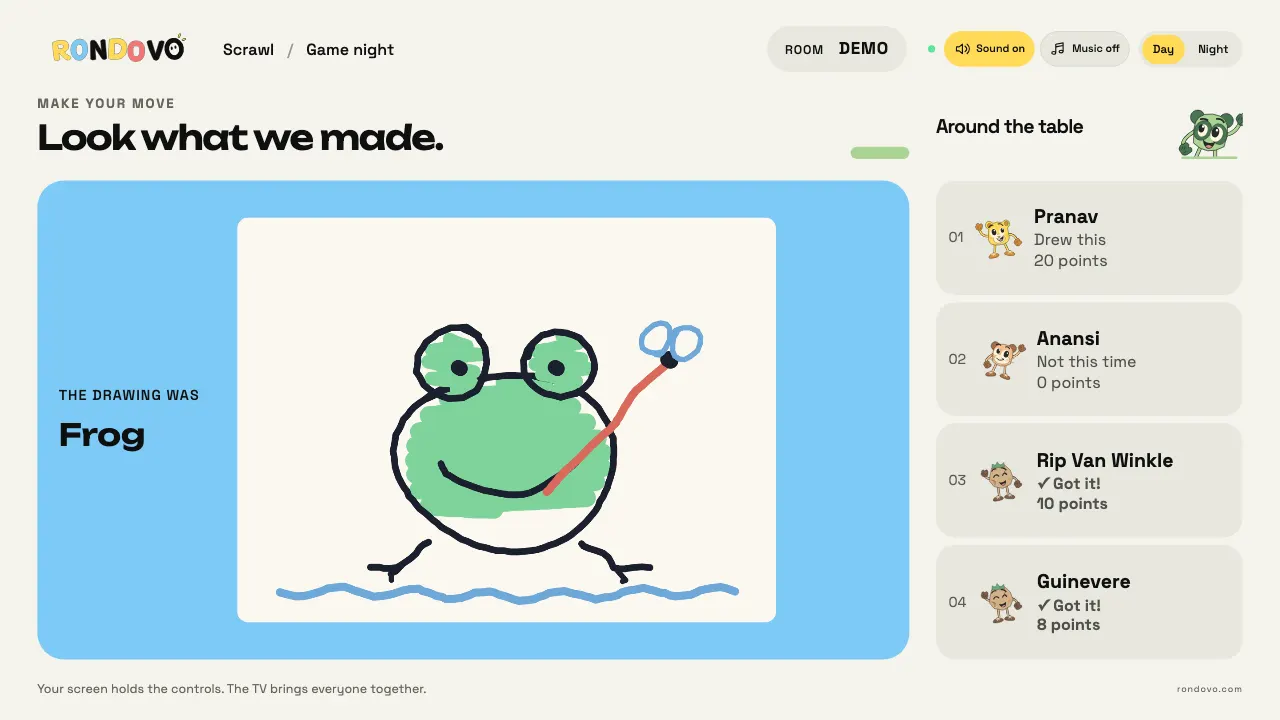
You can play games on a TV without a console in four ways: open a game website in the TV's own browser, send a laptop or tablet screen to the TV (HDMI cable, casting or AirPlay), use a streaming stick like Fire TV, or install a party game app from the TV's app store. For group games, the trick is that everyone plays on a screen they already own, usually a phone, so the TV only has to show the board. The cheapest setup is a free browser game on a laptop plugged into the TV with HDMI. It works on any TV with an HDMI port.
In short
- No console needed. A TV with a browser, a streaming stick, or a laptop and an HDMI cable is enough.
- The controllers are already in your pockets. Jackbox, AirConsole, Netflix's TV games and Rondovo all let players use their own device, so nobody needs a gamepad.
- HDMI beats casting for anything timed. Casting and screen mirroring add a delay; a cable doesn't.
- What works on your TV depends on its system. Fire TV and Android TV have the most apps. Samsung and LG have good browsers but fewer party apps. Apple TV and Roku have no browser at all.
- Free options exist. Browser games cost nothing to try. Jackbox is a one-time purchase per pack, AirConsole has a subscription tier and Netflix games need a Netflix plan.
How phone controller TV games work
Every modern TV party game uses the same idea. The TV shows a room code or a QR code. Each player opens a web page or app on their own phone, types the code, and their phone becomes a private controller: it shows their cards, their secret word or their drawing pad, while the TV shows what everyone can see.
That split is why these games beat passing one remote around. Eight people can answer at once. Nobody sees your hand. And the thing doing the heavy lifting is a web server somewhere, not a box under the TV, which is why you don't need a console.
What you do need is one device that puts the shared screen on the TV. That's what the rest of this guide is about.
Four ways to put games on a TV without a console
1. The TV's own web browser
The simplest route, when it works. You open the game's website on the TV, it shows a code, and everyone joins on their own screens. Nothing to install, nothing to plug in.
The catch is that TV browsers vary a lot. Samsung TVs come with a browser called Internet, and LG TVs on webOS have one called Web Browser. Both handle modern sites reasonably well on recent models. Older or budget sets can be slow, and typing a web address with a remote is tedious (a TV with a wireless keyboard or a phone remote app helps).
2. A laptop, tablet or phone sent to the TV
This is the most reliable option, and it works on any TV.
- HDMI cable from a laptop. Plug in, set the TV to that input, open the game in a full browser and press F11 (or the full screen button) to hide the toolbars. Almost no added lag, no Wi-Fi in the picture path, and every browser game works.
- Casting a Chrome tab. On a laptop, Chrome's menu has a Cast option that sends a tab to a Chromecast, a Google TV or a TV with Chromecast built in. Edge can cast too. It's wireless, but the picture runs a little behind the laptop.
- AirPlay from a Mac, iPhone or iPad. Works with an Apple TV and with many Samsung, LG, Sony, Vizio and Roku TVs from 2019 onward. Apple keeps a list of AirPlay 2 TVs by model, so check yours.
- Screen mirroring from Android or Windows. Many Roku devices accept it (Google TV and Android TV take casting instead). It's usually the laggiest option: fine for slow word games, poor for anything with a timer.
3. A streaming stick or box
If you own a Fire TV Stick, a Google TV Streamer or a Chromecast with Google TV, you already have a small computer behind the TV.
- Fire TV (Fire OS models) has Amazon's Silk browser and the most party game apps of any stick, including Jackbox and AirConsole.
- Fire TV models on Vega OS. Amazon started moving some newer sticks, beginning with the Fire TV Stick 4K Select, to a new system called Vega OS. Its app store is separate and smaller, and Android apps can't be sideloaded. If your stick is a Vega model, check the store for a game before you plan a night around it.
- Google TV and Android TV don't ship with Chrome. You can install a third-party TV browser from Google Play, but casting a Chrome tab from a laptop is usually smoother.
- Apple TV has no web browser at all. It runs App Store games (Jackbox is there) and accepts AirPlay from Apple devices.
- Roku has no browser and, as of October 2026, no Jackbox or AirConsole app. Use AirPlay or screen mirroring if your Roku supports it.
4. Smart TV and streaming apps
Some party games install straight onto the TV:
- Jackbox lists Apple TV, Amazon Fire TV and certain Android TVs as places you can buy its games directly. Its April 2026 blog post lists Roku and ChromeOS as unsupported.
- AirConsole has a TV app for Android TV and Fire TV. Its help centre keeps a list of supported TVs; Samsung (Tizen), LG (webOS), Apple TV and Roku have no AirConsole app, so check that list before you rely on one.
- Netflix puts games in a Games tab on select TVs and uses your phone as the controller, so if you already pay for Netflix, check that tab first.
Which TVs and browsers work for party games
Here's a quick picker by TV system, as of October 2026. "Browser games" means sites like Rondovo that run in a web page.
| Your TV runs | Built-in browser? | Best way to play browser games | Party game apps you can install |
|---|---|---|---|
| Samsung (Tizen) | Yes, Internet | TV browser, or laptop by HDMI | Few; Netflix games on supported models |
| LG (webOS) | Yes, Web Browser | TV browser, or laptop by HDMI | Few; Netflix games on supported models |
| Fire TV (Fire OS) | Silk, from the Appstore | Silk browser | Jackbox, AirConsole, Netflix |
| Fire TV (Vega OS) | Check the store | Laptop by HDMI | Check the store for each title |
| Google TV / Android TV | No, third-party only | Cast a Chrome tab from a laptop | AirConsole, Jackbox on certain models, Netflix |
| Apple TV | No | AirPlay from a Mac or iPad | Jackbox, Netflix |
| Roku | No | AirPlay or screen mirroring, or HDMI | Netflix games on supported models |
| Any TV with HDMI | Doesn't matter | Laptop by HDMI | Whatever runs on the laptop |
If you're not sure what your TV runs, look at the home screen: a Fire TV logo, a Google TV or Android TV logo, Samsung's Tizen menus or LG's webOS launcher bar along the bottom are the usual giveaways.
Latency: why some setups feel sluggish
For most party games, a delay of half a second doesn't matter. Nobody notices in a word game or a voting game. It starts to matter in three situations:
- Drawing games, where the room watches a sketch appear on the TV while someone draws. (Our online drawing games guide covers the best ones.)
- Buzzer and speed rounds, where the first correct answer scores more.
- Action games on AirConsole, where you steer something in real time.
The picture path is what adds delay. An HDMI cable adds almost none. A TV browser adds none either, since the TV is drawing the page itself. Casting and mirroring re-encode video and send it over Wi-Fi, so the TV image trails the laptop.
The controllers are a separate path. Each player's device talks to the game's server over the internet, and the TV gets updates the same way. That part is usually quick on home Wi-Fi.
Three setup tips that make a real difference:
- Turn on your TV's Game mode (sometimes called Game Optimizer or Auto Low Latency Mode). It skips the picture processing that adds lag.
- Put the TV or stick on the 5 GHz Wi-Fi band, or use a wired connection if it has an Ethernet port.
- Close other tabs and apps on the laptop or TV. Smart TV browsers in particular have little memory to spare.
The real options, compared fairly
These are the services people actually use for TV party games without a console, as of October 2026. Prices change, so check the official store before you buy.
| Service | What goes on the TV | Players use | Cost | Players | Good for | Weak spot |
|---|---|---|---|---|---|---|
| Jackbox Party Packs | App on Fire TV, Apple TV, certain Android TVs; or a PC, Mac or console | Any browser at jackbox.tv | One-time purchase per pack | Up to 8 in most games, plus a large audience | Comedy writing and drawing | Pay per pack; no Samsung, LG or Roku app |
| Netflix games on TV | Games tab in the Netflix app on select TVs | Phone, by scanning a QR code | Included with a Netflix plan | Varies; Jackbox Party Essentials is up to 8 | Households that already pay for Netflix | Select TVs only; every player needs the Netflix app on their phone |
| AirConsole | App on Android TV and Fire TV, or a computer browser | Phone | Free tier with ads; Hero subscription (price varies by country) | Varies by game | Arcade, racing and quick action games | No Samsung, LG, Apple TV or Roku app |
| Rondovo | Any browser at rondovo.com/tv, or any screen | Any device with a browser | Free; guests never pay or sign up | Up to 16 in most party games | Word, drawing, deduction and board games | No TV app in stores yet; old TV browsers can be slow |
Jackbox Party Packs
Jackbox is the name most people know. Each pack bundles several games (Quiplash, Fibbage, Drawful and so on), and players join at jackbox.tv in any phone browser. Most games seat up to 8, and Party Pack 11 lets up to 10,000 more people join as an audience and vote, according to its Nintendo store page.
On TVs without a console, you can buy packs directly on Apple TV, Fire TV and certain Android TVs. Jackbox has also announced a free, ad-supported streaming app for smart TVs. Its announcement now says it hopes to start a beta on one or two TV platforms in summer 2026, a date that has already slipped once from spring 2025, so check its blog for where that stands now. For a deeper look, see our guide to games like Jackbox. Jackbox's own post, Everywhere you can play Jackbox, lists the current devices.
Netflix games on TV
Netflix added party games to the TV app in November 2025, with a phone running the Netflix app as the controller. Its first TV lineup included Pictionary: Game Night, Boggle Party and LEGO Party!, and in April 2026 it added The Jackbox Party Essentials (Fibbage 4, Drawful 2 and Quiplash 3). You need a Netflix plan and a TV that shows the Games tab, according to Netflix's own guide to its TV party games.
AirConsole
AirConsole describes itself as an online console with more than 130 multiplayer games, using phones as gamepads. It leans toward arcade games: racing, sports, quick reflex rounds. There's a free tier and a Hero subscription that removes ads and opens the full library, and only one Hero subscriber is needed per session. Its list of supported TVs is the place to check your model; outside its Android TV and Fire TV apps, a computer browser is the official route.
Rondovo
Rondovo is our site, so weigh this accordingly. It runs entirely in a browser: open rondovo.com/tv on the TV, and it shows a four letter TV code and a QR code. Scan the QR to host, or if you're already hosting, tap Add a TV on your screen and type the code. Friends join at rondovo.com on their own screens with the room's four letter code. It's free, with no download and no account for guests.
The library is more than 30 games, mostly word, drawing, social deduction and board games: Scrawl for drawing and guessing, Fill-In for funny answers, Mindline for clue giving, and board games like Isle of Tides that take an hour.
Where it's weaker: there's no Rondovo app in any TV store yet, so on Apple TV and Roku you'll need AirPlay, mirroring or a laptop. Its only real time game is Frostmatch, a gem matching race, so it's no substitute for AirConsole's arcade catalogue. And on an old smart TV the browser can be slow, in which case a laptop on HDMI is the fix. The TV is optional too: every player's screen can show the shared table if you'd rather not use one.
A setup that works on any TV in five minutes
If you want one plan that never fails, use this:
- Plug a laptop into the TV with an HDMI cable and switch the TV to that input.
- Turn on the TV's Game mode.
- Open the game site in Chrome, Edge, Safari or Firefox and go full screen.
- Put the room code where everyone can see it, and let people scan the QR code with their camera.
- Keep the laptop plugged into power. Turn off its sleep timer for the evening.
That's it. The laptop is the console now. It's also the setup we'd pick for a big crowd; see party games for large groups for what to play once it's running.
Fire TV party games
Fire TV is the friendliest stick for party games because it has the widest app choice. On Fire OS models you can install Jackbox packs, AirConsole and Netflix, and use the Silk browser for web games. To open a browser game, launch Silk, type the address once, and bookmark it.
If you have a newer stick on Vega OS, some of those apps may not be available yet. The workaround is the same as for any TV: a laptop on HDMI, or casting.
Troubleshooting
The TV page won't load or freezes
Older smart TV browsers struggle with modern sites. Restart the browser app, then try again. If it still stalls, switch to a laptop on HDMI or a streaming stick. Clearing the TV browser's cache (in its settings menu) sometimes helps.
Players can't join
Check the code is typed exactly, then make sure every device is online. Guests don't need to be on the same Wi-Fi for web based games, but some captive networks in hotels, offices or schools block the connections games use. Mobile data usually gets around that.
The TV lags behind the controllers
You're probably casting or mirroring. Switch to HDMI, or open the game directly in the TV's browser so the TV draws it itself. Turn on Game mode.
Sound is missing
Many browsers block sound until you click or tap something on the page. Press a button on the TV page once with the remote or mouse. Also check that the TV, not the laptop speakers, is the selected audio output.
The picture is cut off at the edges
That's overscan. Look for a picture size setting called Fit to Screen, Just Scan or Screen Fit on the TV, or press the browser's zoom out key on a laptop.
Someone's screen went to sleep
Browser games usually let a player reopen the page and rejoin. On Rondovo you come back to the same room and carry on. Turning screen auto lock to a few minutes longer for the evening saves the hassle.
Questions people ask
Can you play games on a smart TV without a console?
Yes. Use the TV's browser for web games, install a party game app if your TV's store has one, or connect a laptop by HDMI. Players use their own devices as controllers.
What can I use as a controller if I don't have one?
Whatever screen you carry. Jackbox and Rondovo run in any browser, while Netflix's TV games and AirConsole use a phone. None of them need a gamepad.
Do party games work on Samsung and LG TVs?
Browser games usually do, through the built-in browser. Jackbox and AirConsole don't list Samsung or LG apps as of October 2026, so for those, use a laptop, console or streaming stick. Netflix games work on supported Samsung and LG models.
Can I play Jackbox on a Fire TV Stick?
Yes, on Fire OS models, by buying the packs in the Amazon Appstore. Jackbox's own list includes Fire TV, certain Fire Sticks and Fire TV Cube.
What's the best free TV party game with no console?
For a whole group with no purchase, a browser game is the easiest start: nothing to install and guests play free. AirConsole's free tier and Netflix games (if you already subscribe) are the other routes that cost nothing extra.
Is casting good enough for party games?
For word, trivia and voting games, yes. For drawing or anything where speed matters, a cable or the TV's own browser feels noticeably better.
If you'd like to try the browser route tonight, open rondovo.com/tv on the TV and pick a game. Scrawl is a good first one: it shows off the TV and everyone gets it in a round.
Jackbox, Quiplash, Fibbage, Drawful, Netflix, AirConsole, Fire TV, Amazon, Silk, Vega OS, Google TV, Android TV, Chromecast, Chrome, Apple TV, AirPlay, Mac, iPad, iPhone, Roku, Samsung, Tizen, LG, webOS, Sony, Vizio, Microsoft Edge, Firefox, Safari, Windows, Nintendo, Pictionary, Boggle and LEGO are trademarks of their owners. Rondovo is not affiliated with them.